


VIZIO Creative Guidelines > Media & Entertainment > Home Screen Hero - Auto-Play Video
A video that will automatically play in the Home Screen Hero.
| AP Video | Animated AP Video |
|---|---|
|
AP Videos typically play a trailer or clips from the movie/show.
|
Animated AP videos are subtle animations that then will fade into the same image as the backdrop image. The transition from the video to backdrop image should be seamless.
|
| Animated/Auto-Play Video | |
|---|---|
| Dimensions | 1920px x 1080px |
| Maximum File Size | 20 MB |
| File Type | MP4, FPS: 24, Max. Video Bitrate: 5.0 mbps |
| Video Codec | H.264/AVC MPEG-4 part 10 / 4 or less reference frames |
| Video Length | Max. 15s |
| Video Safe Area | Approx. 310px from the left and bottom. Approx 250px x 130px from 310px the upper right corner for the placement of the VIZO logo. Any messaging, including legal fine print, will be blocked by the interface if outside of this area. See PowerPoint template for guides. |
|
Miscellaneous
|
|
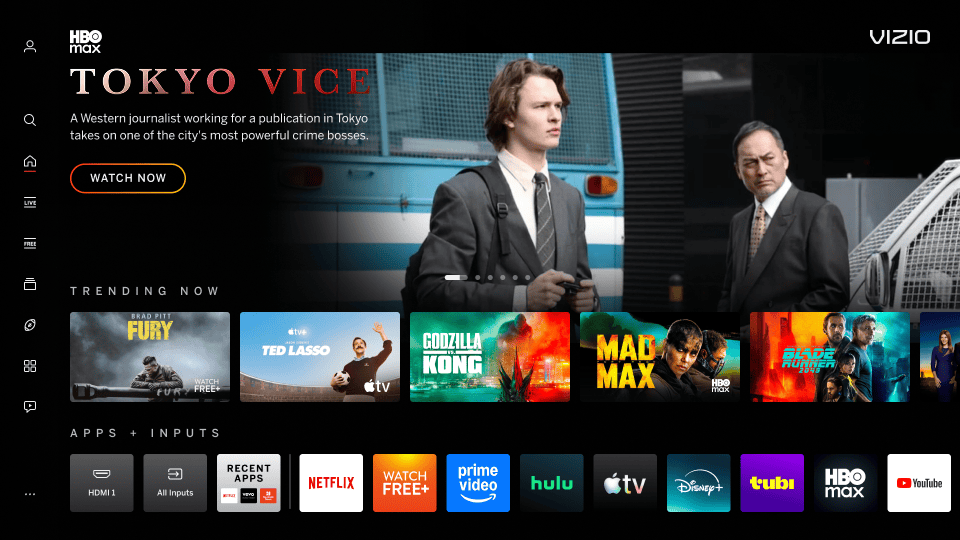
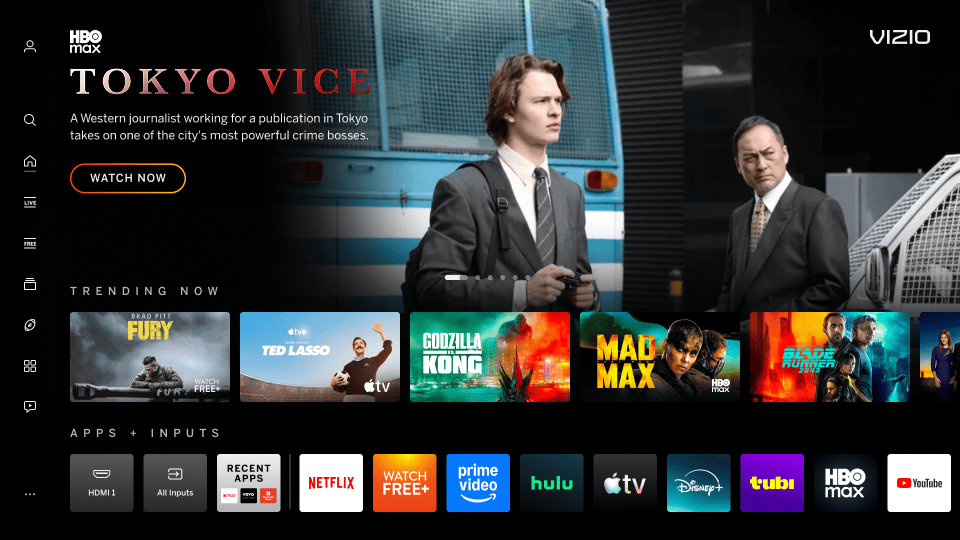
| Letterboxing | |
|---|---|
| Video does not fill does not fill the entire 16:9 space, edge-to-edge. | |
|
Incorrect Example ✘ |
Correct Example |
 |
 |